
Searching Cases by Name
Marion County posts no county-hosted search for trial cases on its official pages. So a name search starts with the right keeper. The District Clerk holds district criminal, civil, family, and juvenile proceedings. The County Clerk keeps county criminal and probate matters. JP1, JP2, and Jefferson Municipal Court each retain their own lower-court cases.
- Choose the court from the case type, citation, notice, or filing.
- Try re:SearchTX if access is available, using only fields visible in its current interface.
- Enter the most exact name available and narrow by court, county, case type, or date only when those controls appear.
- Compare possible matches by cause number, court, style, and filing date.
- Confirm the match with the appropriate clerk before relying on it.
The portal blocks public browsers with an HTTP 403 error. Its name fields and match rules are not visible from the outside. Assume nothing about a middle-name field, wildcard rule, or statewide coverage unless the live screen itself shows it.
Choose the Marion County Keeper
In Marion County, the county clerk and the district clerk are two different offices. Causes in the 115th and 276th District Courts go through Susan Anderson's District Clerk office. Start there. Kim Wise's County Clerk office handles the Constitutional County Court's general criminal and probate docket. The lower courts keep their own cases.
| Case category | Likely keeper | Contact route |
|---|---|---|
| Felony, major civil, family, district juvenile | Marion County District Clerk | (903) 665-2441 or clerk counter |
| County criminal or probate | Marion County Clerk | (903) 665-3971 or clerk counter |
| Traffic, fine-only Class C, small claims, eviction | JP1 or JP2 | Official Justice contacts |
| Jefferson ordinance or city Class C | Jefferson Municipal Court | (903) 665-7159 |
If you're unsure which office to call, state the case type and where the event occurred. Staff can tell you whether their office holds the record. They cannot pick claims for you or give legal advice.
Searching by Case Number
A cause number is the court's identifier for a case. It usually beats a common name for precision. Marion County publishes no county-specific number format. Trust only the number as printed. Copy it exactly from a notice, order, citation, receipt, or clerk record. Enter a literal value such as [cause number exactly as printed]. Keep the punctuation, leading zeros, suffixes, and court labels. Do this until the live search shows what it accepts. If the portal rejects the value, follow only a format the portal itself instructs. Then call the keeper. For an older file, add the approximate filing date, case style, and court to your request. A trial cause number can also trace an appeal. The TAMES appellate search has a trial-court-case-number field plus a Marion County filter. For an ordinary trial docket, though, TAMES is not the starting point.
No Marion Public Trial Portal
OCA verification data lists NetData as the District Clerk's case-management system. That describes the office's back end. It does not mean the county runs a public website. The county's own pages expose no working local trial-docket URL. eFileTexas won't fill the gap either; it routes electronic filings and shares filing information, but it is not a complete public register. The official re:SearchTX portal posts its own access condition.
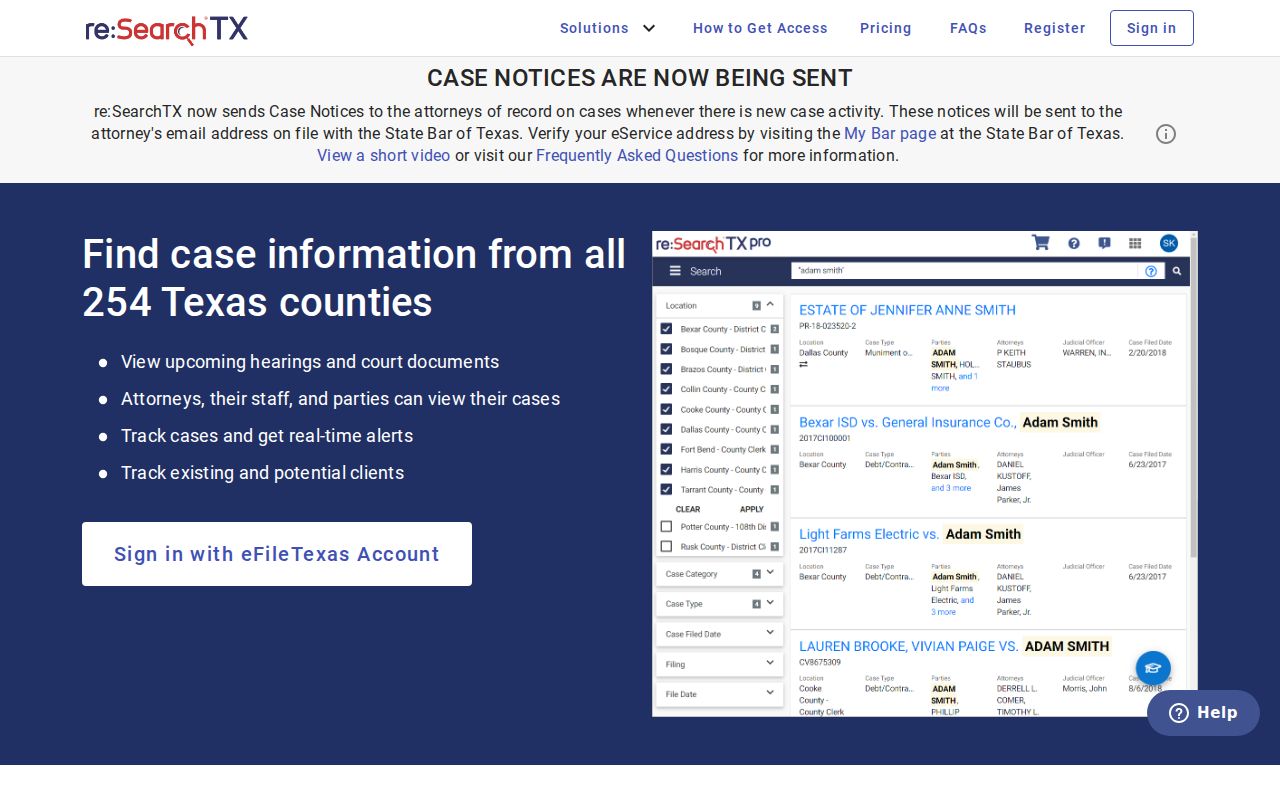
Here's the practical rule. An error page does not prove a case is absent. Write down the error and your search details. Then try the phone, the counter, mail, a published email, or a focused written request. And never treat a payment portal as a docket viewer.
What a Case Search Returns
Think of a docket result as a pointer to a court record, nothing more. Check the exact fields against the live system. With no Marion sample trial docket open to view, treat common record concepts as items to verify rather than promised fields.
| Cause number | The court's identifier for the matter. |
|---|---|
| Case style | The caption naming parties or the State and accused. |
| Court and judge | The assigned tribunal and presiding officer, if displayed. |
| Filed date and type | When the case began and its broad category. |
| Case events | Dated filings, orders, settings, or dispositions in the register. |
| Access label | Public, redacted, sealed, restricted, or otherwise limited. |
An event line is not the same as the filed document. A search may say an order was signed yet withhold its image. If you need the text, ask for that specific order or judgment.
Marion Citation Search Fields
The Texas Citation and Notice search is its own official database. It can locate public notices or citations. It does not prove a complete Marion civil or criminal docket, though. Its visible controls are documented. Don't confuse them with the blocked re:SearchTX fields.
| Field | Type | Required | Use |
|---|---|---|---|
| Enter text to search | Text | Unspecified | Begin with a few words and refine |
| Name | Text | Optional | Respondent, estate, or property |
| Cause Number | Text | Optional | Use the known identifier |
| Court/County | Text | Optional | Narrow to Marion or a court |
| Status | Text | Optional | Narrow by status |
That interface documents a suffix wildcard such as joh*. Use it there, or only where another live portal expressly allows it. Results can list name, cause number, court/county, status, and action.
Statewide vs County Case Search
Marion County offers a statewide route plus clerk-based local routes, not a verified county public portal. Each plays a different role. A statewide miss can mean nonparticipation, an update lag, protected data, or a bad search term.
| Route | Best use | Key limit |
|---|---|---|
| re:SearchTX | Cross-county search among participating courts | Interface was blocked; current coverage unverified |
| District or County Clerk | A known Marion cause or targeted record request | Must choose the correct keeper |
| JP or Municipal Court | Lower-court citation or local case | Payment links are not verified docket viewers |
| TAMES | An appeal tied to a trial cause number | Not a trial-court search |
The clerk route also covers in-person inspection, phone questions, mail to the District Clerk at P.O. Box 628, Jefferson, TX 75657, and written requests. Ask about terminal access before you drive over. The county does not publish whether it exists.
Marion Search Results Versus Copies
Seeing a docket entry online and getting a copy of the filing are two different transactions. Each carries its own price tag. The OCA FAQ lists re:SearchTX document pricing at $0.10 per page with a $1 minimum. It makes sense to confirm that once the portal is readable. District Clerk statutes set their own scale. The scale runs $1 per printed page, a $5 certification fee on top of page charges, and separate rates for electronic copies. If you have no cause number or need an existence search, a $5 search fee may apply.
Call before you pay. Ask which fee your request triggers, what payment the office takes, and how long the wait will be. Marion County publishes no docket-copy form, mail-payment rule, or stated turnaround. When you request archived court records, give the court, the cause, the document, and the rough filing date so the clerk can locate it. And remember that a property index stretching back to 1955 does not prove the court docket reaches that far.
Access and Restricted Cases
Texas presumes court records are open, but the law carves out real limits. Rule 76a seals qualifying civil records. Rule 21c forces sensitive data to be redacted. Family Code Chapter 58 restricts juvenile records. Expunctions plus certain protective orders can also change what a search shows.
An empty result does not prove a case never existed. The court may sit outside the database, the local system may not be integrated, the data may lag, your search terms may be off, or the record may be restricted by law. Ask the clerk whether a public docket exists and what lawful route fits your situation. Never send private identifiers to slip past a restriction.
Public-access rule: request an existing docket, event history, filing, order, or judgment. A custodian need not create a custom legal analysis or new record.
When Marion Search Tools Disagree
When Marion County search tools conflict, the court that owns the case gets the last word. TAMES refreshes appellate data nightly but guarantees nothing about completeness. OCA directory listings can lag behind newer county office pages. A payment vendor may take your money while showing an incomplete event history. Each tool answers a different question.
Keep notes as you go. Record the source, the date, your search terms, and any error message. Then call the right office with the cause number and case style in hand. For a hearing, check the newest notice against the Marion County court calendar process. For a filing, name the exact document. Say whether you want a plain or certified copy. That preparation yields a focused request and keeps a stale search result from standing in as the official case record.